
Make the most of your shopping cart
At Van Gelder Groente & Fruit, we are constantly striving to give you the very best experience in our webshop. That’s why we’re always working behind the scenes on smart improvements that offer you greater convenience, time savings, and added value. Whether you want to order faster, keep a clear overview, or save effortlessly—we’re here to make things as easy as possible. In this article, we’ll introduce a few helpful features that simplify and streamline your ordering process.
1. Van Gelder helps you save
At Van Gelder, we’re always looking for ways to help you save—without extra effort. That’s why we’ve built two smart features into our webshop:
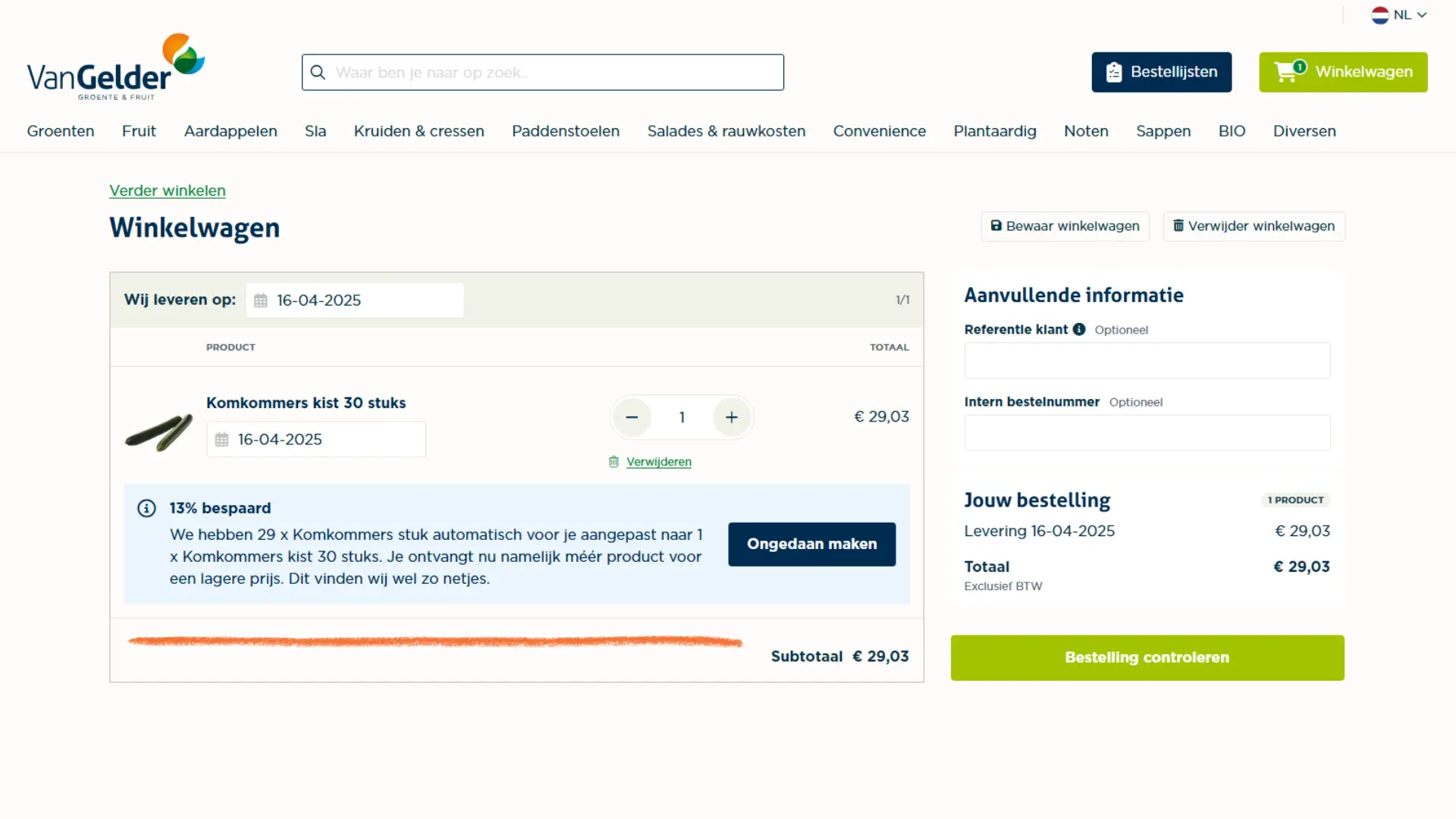
- The first is fully automatic: if a full crate is cheaper than the number of individual items you've selected, we’ll adjust your order automatically—so you get more for less. Prefer to stick with your original quantity? No problem—you can undo the change with just one click.
- The second option appears when your quantity is just below the threshold for a lower crate price. You’ll get a notification showing how much you could save by ordering the full crate. It’s up to you whether you want to adjust the order. Want to take advantage of the discount? One click is all it takes. That way, you save money—without even having to think about it.
2. We automatically split your order by delivery date
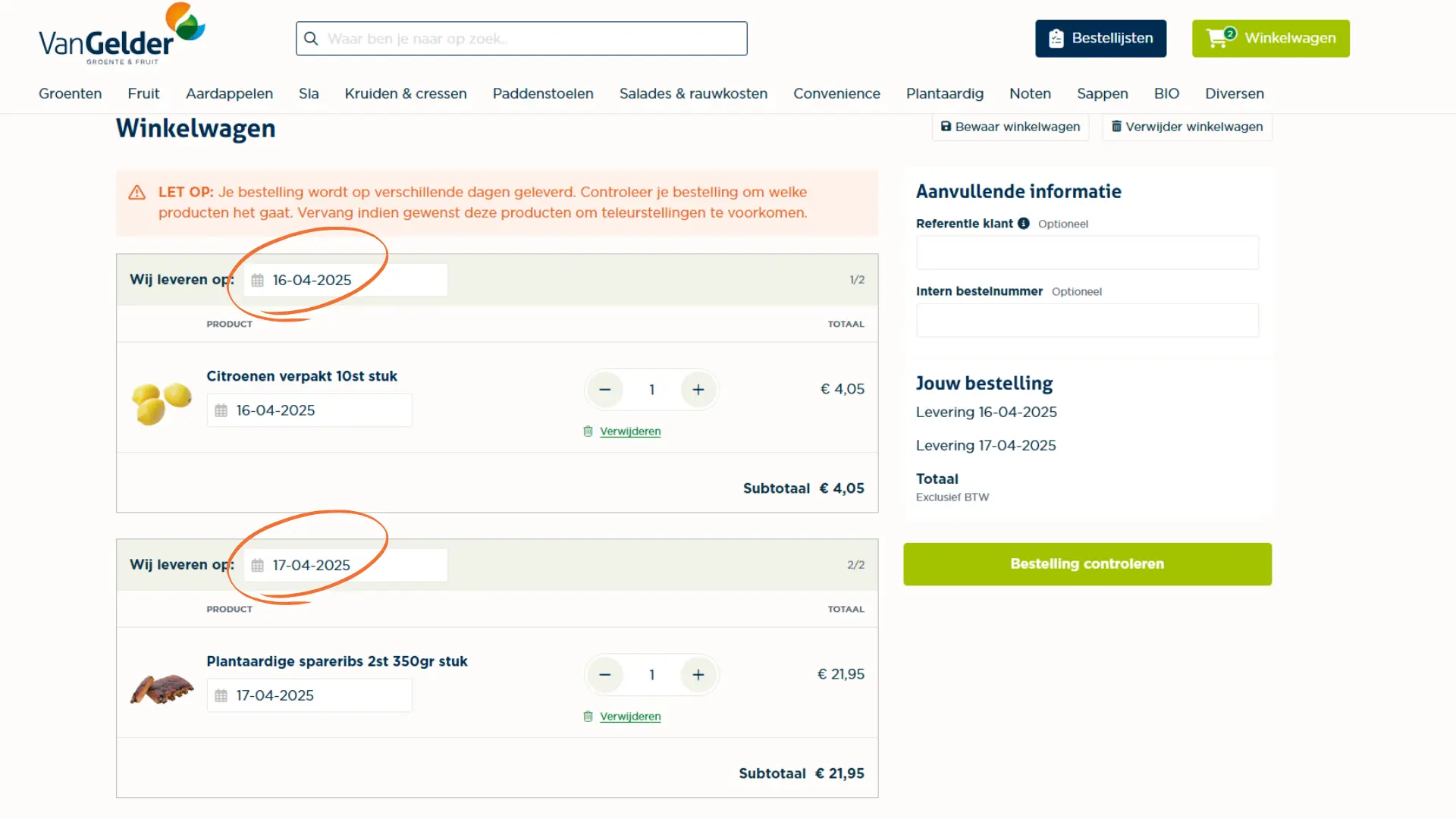
To ensure your order is delivered as quickly and efficiently as possible, our webshop automatically splits it based on product availability.
- Stock items
As the name suggests, stock items are readily available in our warehouse. That’s why we can deliver them on the next available delivery day. You’ll see both the stock status and the order cut-off time listed with each product. If you order more than what's in stock or place your order after the cut-off time, the item will automatically be scheduled for the next available delivery day. In your cart, you'll see a notification if reducing the quantity would allow for earlier delivery. Want to know the latest time to order for the shown delivery date? Just click the info icon next to the delivery information. - Order-on-demand items
Some items are not kept in stock by default. These are labeled as order-on-demand items, meaning they either have a longer lead time or must be ordered before a different cut-off time. You can easily check this by looking at the delivery date shown with the product. Click the info icon next to the delivery time to see the cut-off time.
This information is not only shown in your search results but also in your order lists. In your shopping cart, products are grouped based on their earliest possible delivery dates. Always double-check that you’ve selected the right delivery day. If there’s a comparable product available for earlier delivery, we’ll suggest it as an alternative—so you stay in control and always choose what fits your schedule best.
3. Internal reference note
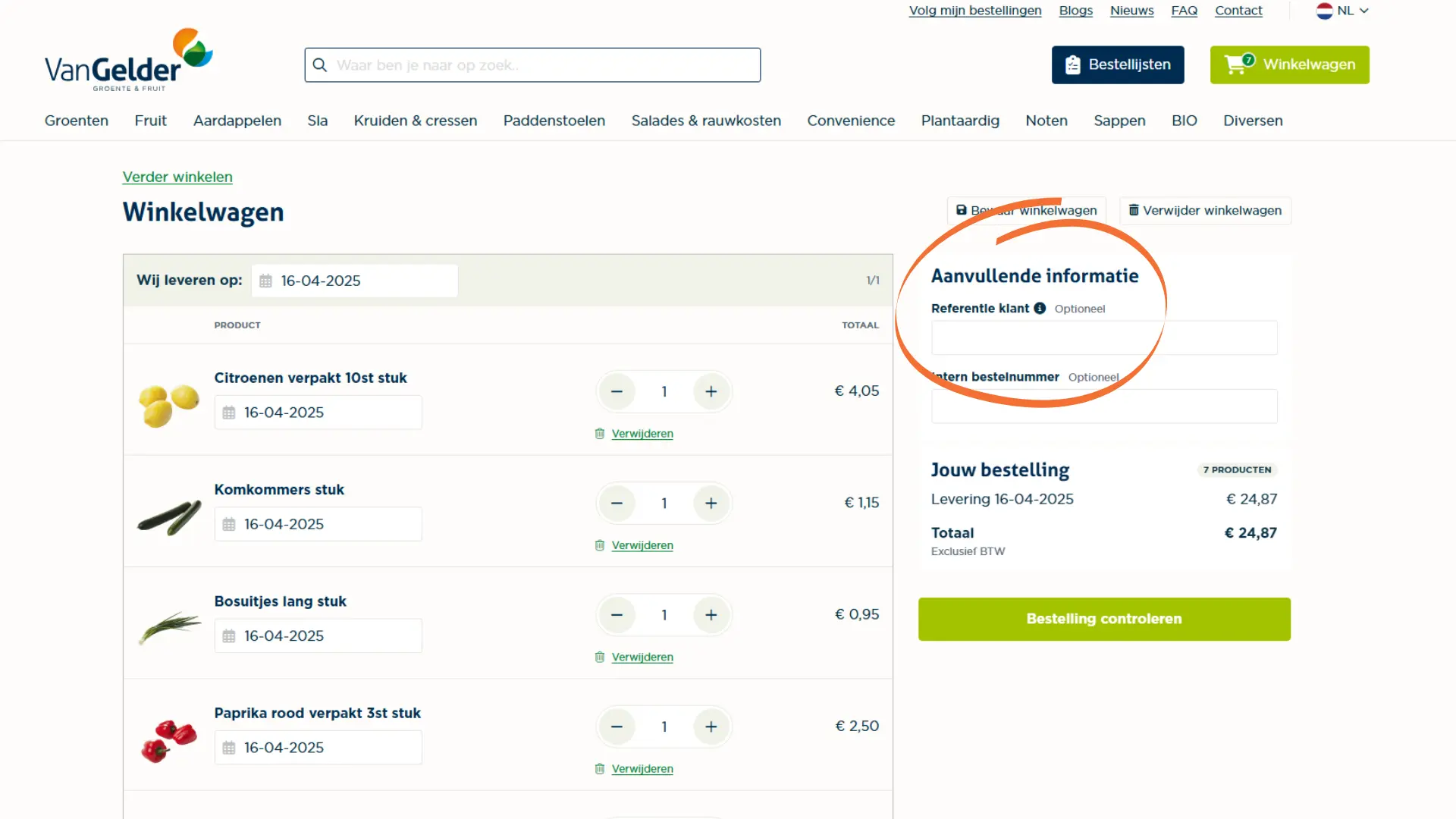
When placing an order, you have the option to add an internal reference. This field is for your own administration only and is not visible to us.
An internal reference can be useful if you're ordering for multiple locations, projects, or departments, or if you want to link a cost center or order number to your purchase. This helps you keep everything organized in your own system.
You can enter the reference during checkout. It will then appear on your order confirmation, invoice, and order history—so you can always easily find it again.
4. Save your shopping cart for later
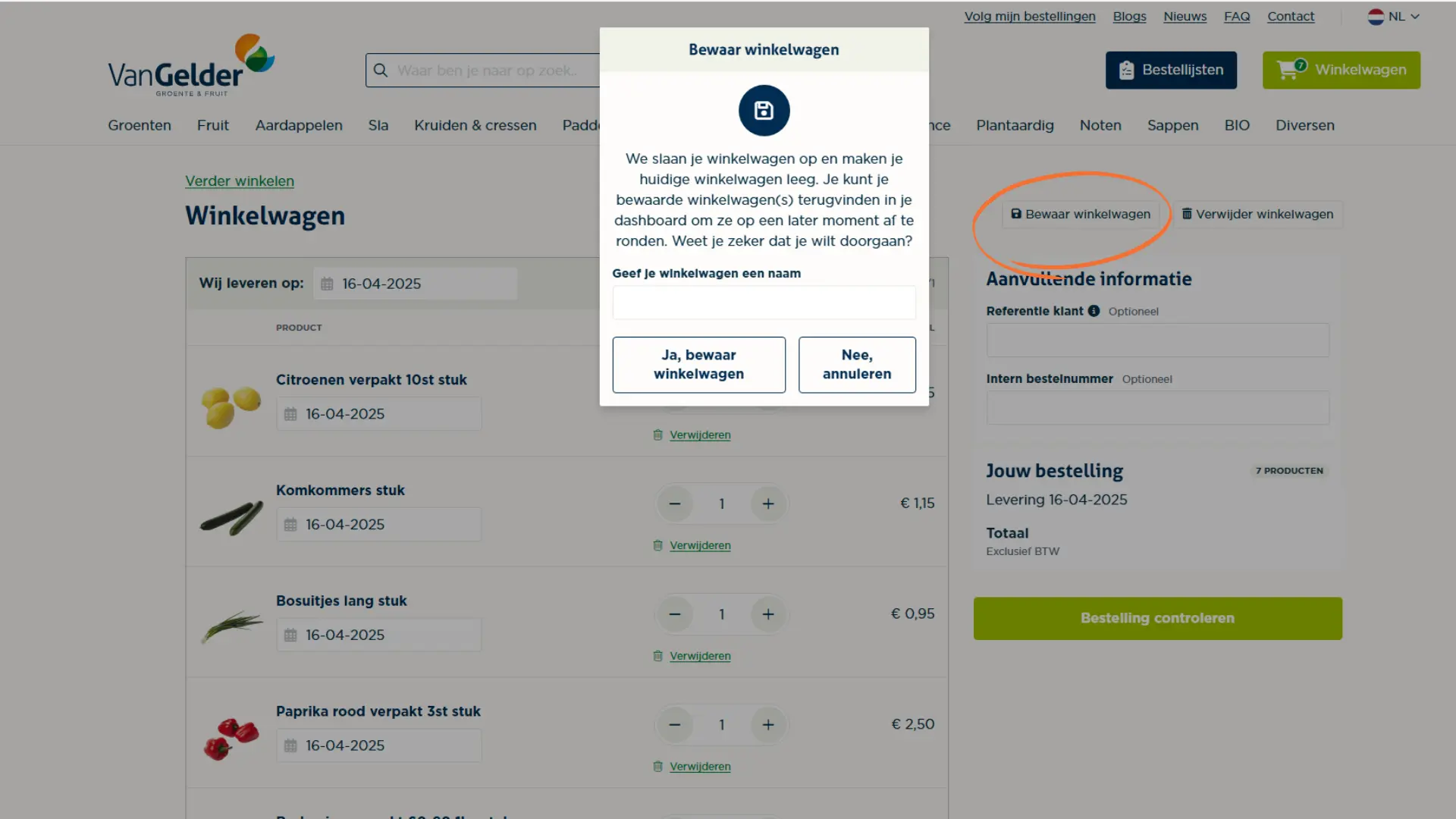
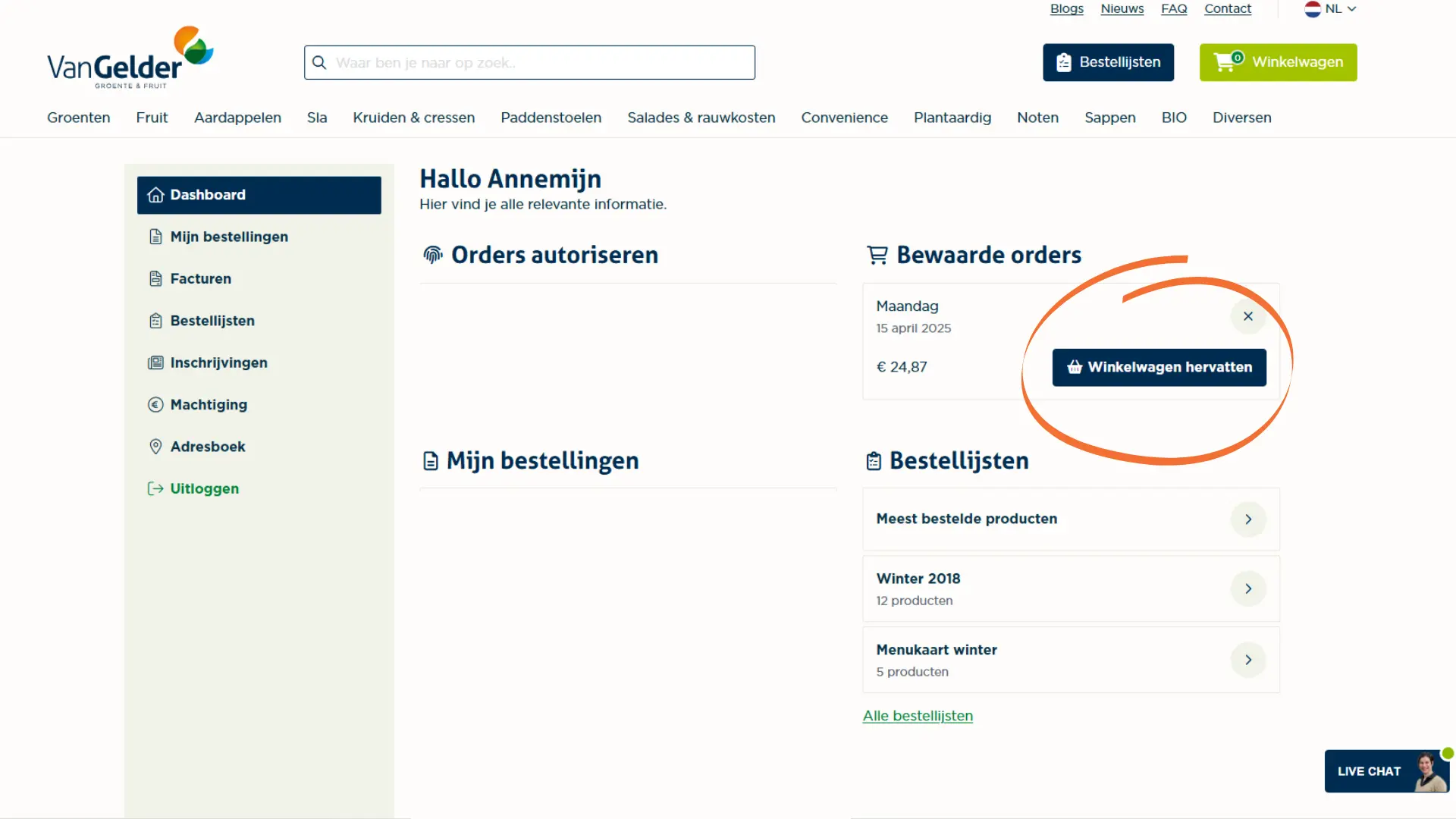
Want to prepare orders at different times without placing them right away? You can easily save your shopping cart and continue later. Perfect if you'd like to set up your orders for Monday and Tuesday in advance.
You can create multiple carts and give them custom names, like "Monday order" or "Stock week 16". This keeps everything organized and lets you continue whenever it suits you best. Note: a saved cart is not a confirmed order.
Shopping carts are personal and linked to your account and associated branch. Do you order for multiple branches? Each cart will be assigned to a specific location. Colleagues cannot access or take over your saved carts, keeping your preparations private and organized.
Thanks to the smart features in our webshop, placing orders is easier, faster, and more cost-effective. That way, you always stay in control and keep a clear overview.